Searching for “how to talk to my child about online strangers” means you need words that work right now. This isn’t about theory—it’s about actionable scripts you can use today. Here are the exact conversations for every age, plus what to do if contact has already happened.
Quick Answer: Use these scripts immediately:
Ages 5-7: “If someone online asks for your name or school, say ‘I need to ask my parent’ and come get me.”
Ages 8-10: “Some people online pretend to be friends. Never share personal info and always tell me about weird messages.”
Ages 11+: “Trust your gut. If an online conversation feels off, screenshot it, stop responding, and tell me immediately.”
Why “Stranger Danger” Fails Online (The 2-Minute Explanation)
The old “stranger danger” concept doesn’t work digitally because:
- Online strangers often seem friendly, not scary
- 90% of child harm comes from known individuals, not random strangers
- Kids can’t identify “strangers” in gaming chats or social media DMs
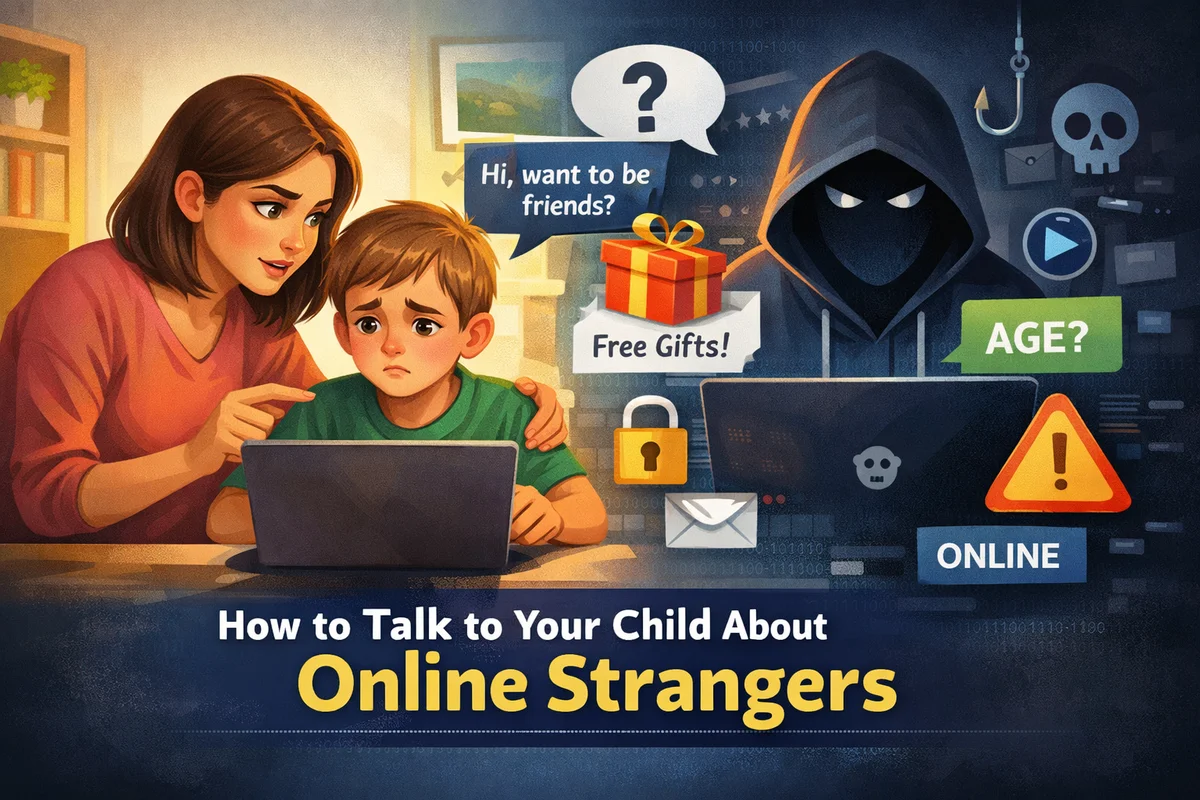
The Better Approach: Teach “tricky people” instead of “scary strangers.” A tricky person online might:
- Ask you to keep secrets from parents
- Offer gifts, game codes, or special access
- Move conversations to private apps
- Make you feel “chosen” or special
Also Read : How to Set Up Your Child’s First Social Media Account: A Parent’s Safety Guide
🆘 IMMEDIATE CONVERSATION SCRIPTS (By Age)
Ages 5-7: Simple & Clear
Goal: Basic rules without fear.
Script:
“Sometimes when we play games or watch videos, messages pop up from people we don’t know. These are ‘online friends we haven’t met yet.’ The rule is:
- Don’t answer by yourself
- Come get me immediately
- We’ll decide together if it’s safe”
Practice This:
- “What would you do if a game character asked for your name?”
- “Where do we charge devices at night?” (Answer: Common area, not bedroom)
Ages 8-10: Building Skills
Goal: Recognize red flags.
Script:
“You might get friend requests or messages now. Some people online are ‘tricky’—they act friendly but want information. Remember:
- Never share: full name, school, address, phone, photos
- Never meet anyone from online in real life
- Always tell me if someone asks you to keep a secret”
Red Flag Practice:
“Let’s look at this fake profile. What seems ‘tricky’ about it?”
Ages 11-13: Critical Thinking
Goal: Handle peer pressure and discernment.
Script:
“I know you might feel pressure to accept friend requests or join group chats. Let’s make a deal:
- We review any new followers together
- You can say ‘My parents check my friends list’ if pressured
- We practice exiting uncomfortable chats”
Exit Strategy Phrases:
- “I have to go, dinner time”
- “I don’t share personal info online”
- [No response needed—just block]
Ages 14-15: Real Consequences
Goal: Understand legal and social risks.
Script:
“As you get more independence, you need to know real risks:
- Sextortion scams often start with friendly chats
- College admissions check social media
- Everything screenshotted can be shared forever
Let’s bookmark reporting sites together.”
Resource to Bookmark:
CyberTipline.org – For reporting suspicious contact
5 Online Safety Rules Every Child Needs
Rule 1: The Information Freeze
“Never share: full name, school, address, phone number, birthday, or photos.”
Rule 2: The Meeting Ban
“Never agree to meet someone you met online. Real friends become in-person friends first.”
Rule 3: The Secret Test
“Never keep online secrets from parents. Surprises (planned gifts) are okay; secrets that feel weird are not.”
Rule 4: The Gut Check
“If something feels ‘off,’ screenshot it, stop responding, and tell me immediately—no punishment for reporting.”
Rule 5: The Platform Rule
“Never move conversations to private apps (WhatsApp, Snapchat) with someone you haven’t met.”
Also Read : Social Media Rules Contract for Tweens
Platform-Specific Quick Tips
Gaming (Roblox, Fortnite, Minecraft):
- Disable voice chat for under-13s
- Set messaging to “Friends Only”
- Script: “In-game ‘friends’ are still strangers until we’ve met them offline.”
Social Media (Instagram, TikTok):
- Accounts must be PRIVATE
- Disable DMs from non-friends
- Script: “If someone slides into your DMs, they’re a stranger. Period.”
New/Anonymous Apps (Discord, WhatsApp groups):
- Highest risk category
- Family Rule: “These require my approval and weekly check-ins.”
🆘 What to Do RIGHT NOW If Contact Happened
Step 1: Stay Calm & Thank Them
Say: “Thank you for telling me. You did exactly the right thing.”
Step 2: Document Everything
- Take screenshots immediately
- Save URLs/usernames
- Don’t delete evidence
Step 3: Secure Accounts
- Block the user
- Report to the platform
- Check privacy settings
- Change passwords if needed
Step 4: Assess Threat Level
| Situation | Immediate Action |
|---|---|
| Inappropriate message | Block, report, discuss what made it inappropriate |
| Personal info shared | Monitor accounts, consider temporary deactivation |
| Threats/explicit content | Report to CyberTipline.org, consider law enforcement |
| Attempt to meet in person | Report immediately, preserve all evidence |
Step 5: Follow-Up Support
- Check in daily: “How are you feeling about what happened?”
- Watch for anxiety or behavior changes
- Consider counseling if traumatic
Frequently Asked Questions (FAQs)
A: Start simple concepts at age 5-6. Have more detailed talks by age 8. Early is better.
A: Use platform supervision tools (they notify your child), charge devices in common areas, and maintain weekly check-ins.
A: No punishment for telling you. Say: “I’m glad you’re learning! Let’s make sure you’re safe moving forward.”
A: “No secrets from parents about online interactions.” Groomers rely on secrecy.
A: Bans often backfire. Better to teach discernment with known friends while having strict stranger rules.
Your Action Plan (15 Minutes Today)
- Have one script conversation using your child’s age group above
- Review privacy settings on their main platform (5 minutes)
- Bookmark CyberTipline.org on your phone
- Set a weekly check-in reminder (Sunday evenings work well)
- Create a family code word for uncomfortable situations
Remember: this isn’t about raising a fearful child—it’s about raising a thoughtful digital citizen. When you talk to child about online strangers in a calm, regular way, it builds awareness without fear. These ongoing conversations create far more safety than any single scary talk ever could.